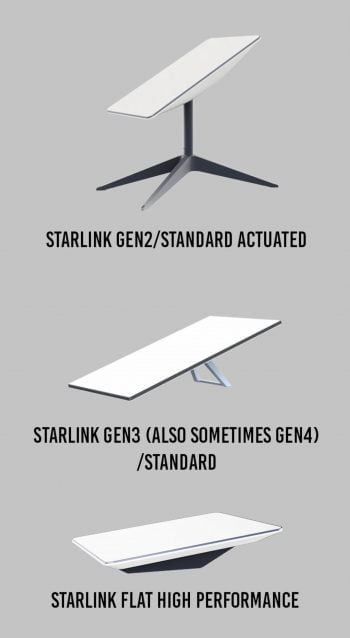
You can tell which generation Starlink hardware you have by looking at a few key features:
-
Dish Shape:
-
Gen 2 has a rectangular (almost square) dish.Gen 3 has a larger, nearly square dish with a slightly different mounting design.
-
-
Router:
-
Gen 2 comes with a white rectangular router with a single Ethernet port (or sometimes no Ethernet port on the standard model).
-
Gen 3 includes a new, larger router that offers built-in Ethernet ports, and the router itself is slightly different in appearance.
-
-
Starlink App:
-
You can check your hardware version by opening the Starlink app, tapping on your device info, and looking for the hardware version details.
-
Gen 3 View in the App

Gen 2 View in the App
